KEDA connects event-source measurements with Kubernetes scaling. The operator handles activation from zero, while the HPA uses supplied metrics for scaling active workloads. Its external-metrics path should not be confused with saying every trigger is a Kubernetes custom metric.
A versioned RabbitMQ example
This configuration targets KEDA 2.16’s RabbitMQ scaler. It assumes an installed KEDA operator, a Deployment named worker, a RabbitMQ queue, and a Secret named rabbitmq-connection containing a host key with the authorized AMQP connection string. Create the secret through your deployment secret mechanism; do not commit its value.
apiVersion: keda.sh/v1alpha1
kind: TriggerAuthentication
metadata:
  name: rabbitmq-auth
spec:
  secretTargetRef:
    - parameter: host
      name: rabbitmq-connection
      key: host
---
apiVersion: keda.sh/v1alpha1
kind: ScaledObject
metadata:
  name: rabbitmq-worker
spec:
  scaleTargetRef:
    name: worker
  pollingInterval: 10
  cooldownPeriod: 60
  minReplicaCount: 0
  maxReplicaCount: 10
  triggers:
    - type: rabbitmq
      metadata:
        protocol: amqp
        queueName: my-queue
        mode: QueueLength
        value: "10"
      authenticationRef:
        name: rabbitmq-auth
This is a scaler configuration, not a standalone worker deployment. The actual worker image must connect to the queue, acknowledge processed messages, terminate cleanly, and have resource requests/limits appropriate to the application.
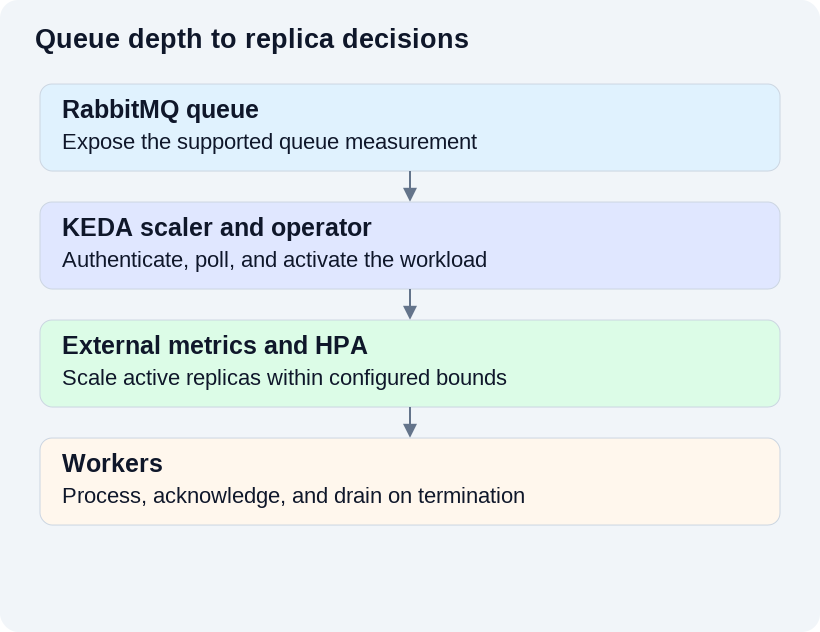
Conceptual illustration; labels describe responsibilities, not a deployment specification.
Understand the control loop
Polling, activation, cooldown to zero, and HPA stabilization affect different parts of the loop. Ten messages per replica is a target, not a guarantee that queue age stays below a particular duration. Processing rate, arrival bursts, startup time, and maximum replicas also matter.
For a hypothetical test, publish a finite batch, observe queue depth and replica count over time, then stop publishing. Confirm that all messages are handled and the workload returns to its intended idle state. Repeat with slow startup and a worker failure.
Operational checks
Watch trigger errors and credential expiry. A scaler unable to read the queue does not prove that the queue is empty. Test fallback and alert behavior for the chosen release. Account for cluster nodes and shared resources when estimating cost savings from zero pods.
After a test, remove its ScaledObject, TriggerAuthentication, queue, and secret only if they belong exclusively to the exercise. Do not delete the cluster’s shared KEDA installation as routine application cleanup.